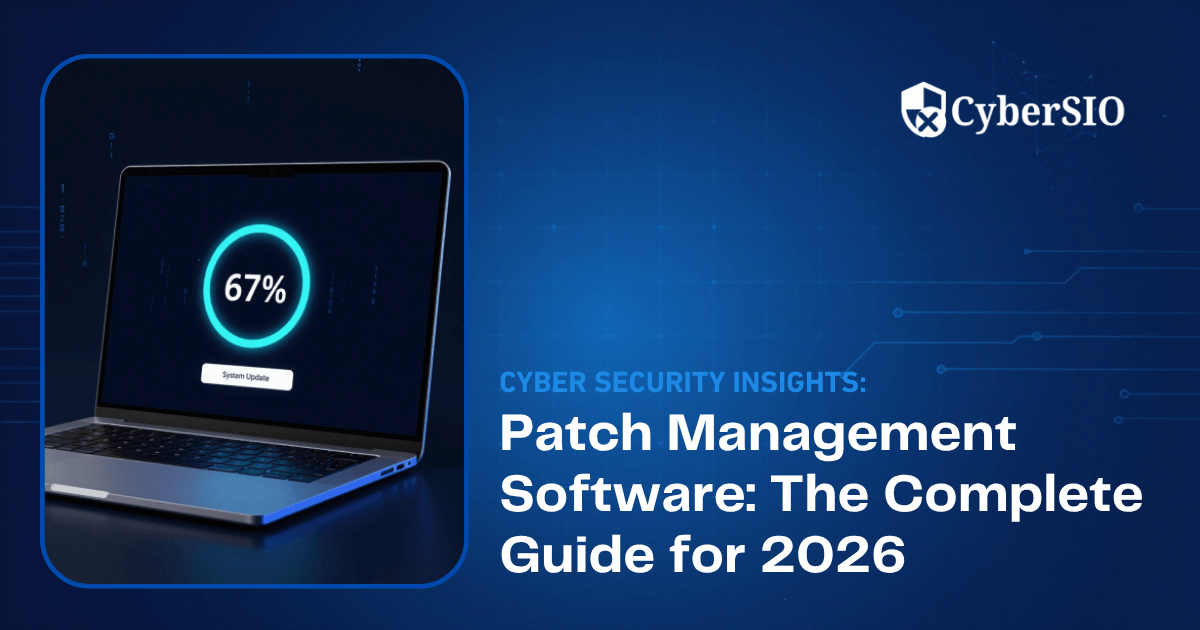
Keeping enterprise systems secure is no longer just about installing antivirus software or deploying firewalls. Cybercriminals increasingly exploit known vulnerabilities that organizations fail to patch in time. Every unpatched endpoint, application, or server can become an entry point for ransomware, data theft, or unauthorized access. This is where patch management software becomes essential. By automating updates across operating systems and third-party applications, organizations can reduce security risks, improve compliance, and minimize operational downtime. Whether you’re managing hundreds or thousands of devices, the right patch management software helps IT teams maintain security without overwhelming manual effort.
In this guide, you’ll learn how computer patch management works, why automated patching is now a business necessity, and the features every enterprise should look for when selecting a solution.
See how CyberSIO helps strengthen your security posture: Schedule a Free Demo.
What Is Patch Management Software?
Patch management software is a centralized solution that identifies missing software updates, deploys security patches, verifies successful installation, and generates compliance reports across enterprise devices.
Its primary objective is to eliminate vulnerabilities before attackers can exploit them.
A modern patch management program typically manages:
- Windows patch management
- Linux operating system updates
- macOS updates
- Third-party application patching
- Browser security updates
- Firmware updates
- Windows Server patch management
Unlike manual updates, automated patching enables IT teams to schedule deployments, prioritize critical vulnerabilities, and monitor patch status from a single dashboard.
Also read: PAM Solution: The Complete Guide to Privileged Access Management
Why Patch Management Matters More Than Ever
Cyber threats continue to evolve, but attackers often rely on vulnerabilities that already have available fixes.
According to the Verizon 2025 Data Breach Investigations Report (DBIR), vulnerability exploitation was responsible for 20% of confirmed data breaches, representing a 34% increase compared to the previous year. This highlights how delayed patching continues to expose organizations to preventable attacks.
Similarly, CISA’s Known Exploited Vulnerabilities (KEV) Catalog continues to grow as threat actors actively target publicly known vulnerabilities that organizations have not yet remediated.
The consequences of delayed patching include:
- Increased ransomware attacks
- Data breaches
- Regulatory penalties
- Service downtime
- Business disruption
- Financial losses
- Reputation damage
Organizations that implement structured management patch processes significantly reduce the window of opportunity available to attackers.
Also read: Astra AI : Redefining the Modern SOC with Generative Intelligence
How Patch Management Software Works
Modern patching software automates the entire lifecycle of security updates.
1. Asset Discovery
The first step is identifying every endpoint connected to the enterprise network.
This includes:
- Workstations
- Servers
- Virtual machines
- Remote devices
- Cloud workloads
Without complete visibility, IT teams cannot secure every vulnerable asset.
2. Vulnerability Assessment
Once assets are discovered, the solution compares installed software against vendor patch databases.
It identifies:
- Missing security patches
- Unsupported software
- Critical vulnerabilities
- Third-party application updates
This enables organizations to prioritize remediation based on business risk.
3. Automated Patching
Instead of manually updating every device, administrators can define deployment policies.
Common capabilities include:
- Scheduled maintenance windows
- Automatic approvals
- Emergency patch deployment
- Rollback support
- Patch testing before production rollout
- Bandwidth optimization
For enterprises managing thousands of devices, automated patching dramatically reduces operational effort while improving consistency.
4. Patch Verification & Reporting
After deployment, the software verifies successful installation and generates reports showing:
- Patch compliance percentage
- Failed installations
- Missing updates
- Device health
- Audit-ready compliance reports
These reports simplify audits for standards such as ISO 27001, PCI DSS, HIPAA, and NIST.
Key Features to Look for in Patch Management Software
Choosing the best patch management software requires more than just automated updates. Enterprise organizations should look for capabilities that improve both security and operational efficiency.
Look for solutions that provide:
- Automated patch deployment
- Windows patch management software
- Third-party application patching
- Windows Server patch management
- Vulnerability prioritization
- Centralized dashboard
- Remote endpoint management
- Patch rollback capabilities
- Maintenance window scheduling
- Compliance reporting
- Policy-based deployment
- API integrations with ITSM and SIEM platforms
- Real-time patch status monitoring
- Role-based access control
These capabilities help security teams reduce manual effort while maintaining a strong security posture across hybrid environments.
Also read: Disinformation Security and Deepfake Detection
Patch Management Software Comparison
| Feature | Manual Patching | Modern Patch Management Software |
| Deployment Speed | Slow | Automated and scheduled |
| Windows Patching | Manual | Centralized Windows patch management |
| Third-Party Application Patching | Limited | Automated application patching |
| Compliance Reporting | Manual effort | Built-in reporting |
| Vulnerability Prioritization | Difficult | Risk-based prioritization |
| Remote Device Support | Limited | Full remote endpoint management |
| Rollback Support | Rare | Automated rollback |
| Scalability | Low | Thousands of endpoints |
| Administrative Effort | High | Significantly reduced |
| Security Risk | Higher | Lower through continuous automated patching |
Best Practices for Enterprise Patch Management
Even the best patch management software is only effective when supported by a well-defined patching strategy. Organizations should adopt a risk-based approach that prioritizes critical vulnerabilities while minimizing operational disruption.
1. Maintain a Complete Asset Inventory
You cannot patch what you cannot see. Continuously discover and inventory:
- Endpoints
- Servers
- Virtual Machines
- Cloud workloads
- Network devices
- Remote employee systems
A centralized asset inventory ensures no device is left vulnerable.
2. Prioritize Critical Security Patches
Not every update carries the same level of risk. Prioritize patches based on:
- CVSS severity score
- Exploitation status
- Business criticality
- Internet-facing assets
- Vendor security advisories
Critical vulnerabilities should always be patched before feature or optional updates.
3. Automate Routine Patching
Manual updates are slow, inconsistent, and prone to human error. Automated patching enables organizations to:
- Schedule updates outside business hours
- Deploy emergency security fixes
- Reduce administrative workload
- Maintain consistent patch levels
- Improve overall compliance
Automation is particularly valuable for organizations managing hundreds or thousands of endpoints.
4. Test Before Enterprise-Wide Deployment
Before rolling out updates across production systems:
- Deploy patches to a pilot group
- Verify application compatibility
- Monitor system performance
- Confirm business-critical applications function correctly
This minimizes downtime caused by incompatible updates.
5. Monitor Compliance Continuously
Patching is an ongoing process and not a one-time task.
Track key metrics such as:
- Patch compliance percentage
- Missing critical updates
- Failed deployments
- Mean Time to Patch (MTTP)
- Devices awaiting reboot
Continuous monitoring helps maintain a strong security posture and simplifies compliance audits.
Also read: Predictive Analysis in AIOps
Why Enterprises Are Investing in Patch Management Solutions
The cybersecurity landscape continues to evolve, making proactive patching more important than ever.
Recent industry reports highlight why organizations are strengthening their patch management strategies:
- The Verizon 2025 Data Breach Investigations Report (DBIR) found that vulnerability exploitation accounted for 20% of confirmed breaches, a 34% increase from the previous year.
- According to IBM’s Cost of a Data Breach Report 2024, the global average cost of a data breach reached USD 4.88 million, the highest recorded to date.
- CISA’s Known Exploited Vulnerabilities (KEV) Catalog continues to expand as attackers actively target publicly disclosed vulnerabilities that remain unpatched.
- The Ponemon Institute’s State of Cybersecurity Report consistently identifies delayed patching and vulnerability management among the leading causes of preventable security incidents.
These findings reinforce that timely security patching is one of the most effective ways to reduce cyber risk and strengthen enterprise resilience.
Also read: Top 10 Cyber Security Threats in 2026 You Must Know
Final Thoughts
Protecting enterprise systems starts with timely patching, and tbPatchManager makes it simple, scalable, and secure. As an enterprise-grade patch management software, it combines automated patching, centralized visibility, vulnerability-based prioritization, and policy-driven remediation to secure Windows, Linux, macOS, and over 200 third-party applications from a single platform.
Whether you need Windows patch management software, application patching, or enterprise patch management solutions, tbPatchManager helps reduce security risks, simplify compliance, and minimize downtime with intelligent scheduling, rollback support, and seamless integrations. Modernize your computer patch management strategy with tbPatchManager and keep your infrastructure secure, compliant, and always up to date.

Must Read Articles:
Understanding Identity Threat Detection and Response (ITDR)
What Is Network Access Control (NAC)?
Patch Management: Benefits, Challenges, and Best Practices for Modern IT Environments
SOC as a Service vs In-House SOC
IAM: A Complete Guide to Identity and Access Management
Frequently Asked Questions on Patch Management Software
What is patch management software?
Patch management software automates the deployment and management of security updates across enterprise devices.
Why is patch management important?
It fixes known vulnerabilities before attackers can exploit them, reducing cyber risks.
What is Windows patch management?
Windows patch management automates security and feature updates for Windows desktops and servers.
What is application patching?
Application patching updates third-party software to eliminate security vulnerabilities and bugs.
What are the benefits of automated patching?
Automated patching saves time, improves compliance, and ensures timely deployment of critical updates.
Sources:
- Verizon. 2025 Data Breach Investigations Report (DBIR)
https://www.verizon.com/business/resources/reports/dbir/ - IBM. Cost of a Data Breach Report 2024
https://www.ibm.com/reports/data-breach - CISA. Known Exploited Vulnerabilities (KEV) Catalog
https://www.cisa.gov/known-exploited-vulnerabilities-catalog - Microsoft. Security Update Guide
https://msrc.microsoft.com/update-guide - NIST. National Vulnerability Database (NVD)
https://nvd.nist.gov/ - Center for Internet Security (CIS). CIS Critical Security Controls
https://www.cisecurity.org/controls - Ponemon Institute. State of Cybersecurity Reports
https://www.ponemon.org/